
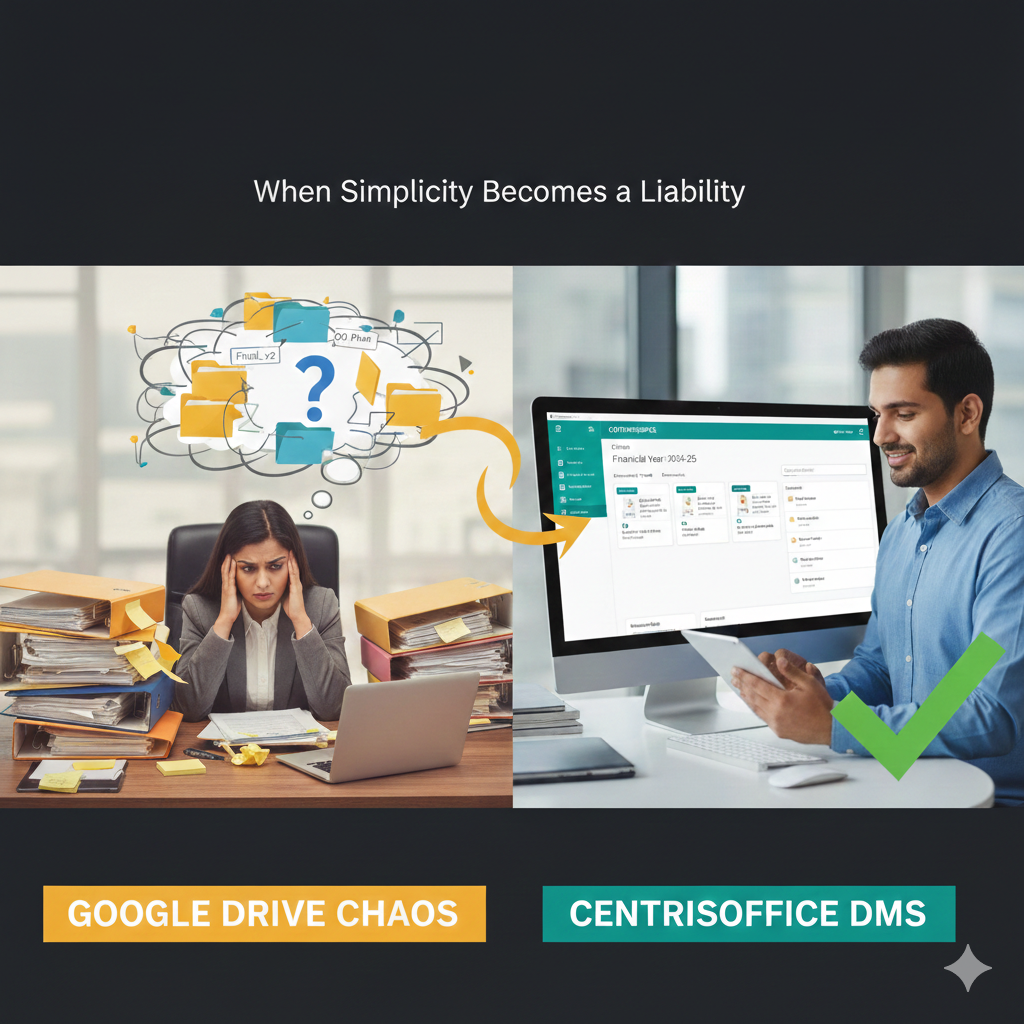

When Simplicity Becomes a Liability
Three years ago, Priya’s HR consulting firm loved Google Drive. Five team members, straightforward file sharing, real-time collaboration—it was perfect. Today, with 45 employees across Mumbai, Pune, and Bangalore, their Google Drive has become what one frustrated manager called “a digital landfill where documents go to die”.[1]
If this sounds familiar, you’re not alone. Google Drive is an excellent collaboration tool for small teams, but it fundamentally isn’t designed to be an enterprise document management system. Here are five clear signs your business has outgrown Google Drive—and what Indian companies are doing about it.[8][7]
Sign #1: Your Team Spends More Time Searching Than Working
The symptom is unmistakable: You search for “Q3 marketing plan” and get 847 results spread across 12 pages. The document you need exists somewhere in that digital haystack, but finding it requires detective work, not search functionality.[1]
Research shows knowledge workers spend nearly 20% of their workday—approximately 1.8 hours—searching for internal information. In Google Drive environments, where search treats documents as isolated files without understanding organizational context, that number climbs even higher.[13][1]
A Chennai-based architecture firm told us their project managers maintained personal “shortcuts” folders because Drive’s search was too unreliable. When that manager left, months of project documentation became effectively inaccessible. This isn’t a search problem—it’s a structural limitation.[1]
What to do: Modern document management systems India businesses are adopting use AI-powered metadata that understands context, not just keywords. Centris Office’s intelligent search locates the exact document you need in seconds by understanding relationships between files, project context, and organizational structure. When one user searches “latest client agreement,” the system knows which version is current and which client you typically work with.[12]
Sign #2: Version Control Has Become Version Chaos
“Final_v2,” “Final_FINAL,” “Final_revised_Jan,” “Final_USE_THIS_ONE”—sound familiar? When multiple team members access and edit documents, Google Drive’s basic version history quickly becomes unmanageable.[7]
For CA firms managing financial statements, legal teams handling contracts, or real estate developers tracking RERA compliance documents, version confusion isn’t just inconvenient—it’s a compliance liability. One Gurgaon-based CA firm nearly submitted outdated tax filings because the “current” version was actually superseded by edits made in a different shared folder.[5][6][4]
Google Drive tracks version history, but it doesn’t enforce version control. There’s no systematic way to lock documents after approval, designate authoritative versions, or prevent simultaneous conflicting edits that create reconciliation nightmares.[7]
What to do: Document management systems for CA firms and other regulated industries build version control into every interaction. Centris Office automatically tracks document versions, maintains comprehensive audit trails showing who changed what and when, and allows administrators to lock approved versions to prevent unauthorized modifications. When your auditor asks for the board-approved budget from Q2 2024, you can produce it instantly with a complete modification history.[9][5][4][12]
Sign #3: Collaboration Has Become a Security Risk
You’ve shared a folder with a client for project collaboration. Two months later, you realize they still have access—and they’ve invited three people you don’t know to view your documents. Revoking access requires remembering every sharing link you’ve created and manually updating permissions across dozens of folders.[7]
Google Drive’s flexibility in sharing is both its strength and its weakness. While it enables easy collaboration, it lacks the granular role-based access controls that enterprises need. Can you instantly generate a report of every document a departing employee accessed? Can you prove to a regulator that sensitive data is only accessible to authorized personnel?[8][7]
For businesses handling client financials, personal data, or proprietary information, these aren’t hypothetical questions—they’re compliance requirements under India’s data protection frameworks.[7]
What to do: Enterprise-grade DMS for CA firms and other professional services implement role-based permissions from the ground up. Centris Office allows administrators to define access rights by role, department, project, or client. When an employee changes roles or leaves the organization, permissions update automatically across all documents. Every access attempt is logged, creating the audit trail that compliance officers require.[5][9][4][12]
Sign #4: Your Folder Structure Has Collapsed Under Its Own Weight
Remember that elegant folder hierarchy you designed three years ago? Today it’s a seven-layer maze where the same client has files in “Clients_Active,” “Projects_2024,” “Invoicing,” and someone’s personal “Important_Stuff” folder.[14]
As your business grows, manually managed folder structures inevitably break down. Different teams develop their own organization systems. New employees can’t figure out where anything goes. Critical documents end up saved in someone’s “My Drive” rather than shared locations.[14]
A Mumbai-based consulting firm we worked with discovered they had four different folders named “Proposals,” each maintained by different departments, with no cross-referencing. When the CEO asked for “all proposals from the last quarter,” compiling the list took three days.[14]
What to do: Purpose-built document management systems replace rigid folder hierarchies with flexible metadata and tagging. In Centris Office, documents are organized by financial year, client, project, document type, and any custom categories your business requires—all simultaneously. A single document can be tagged as “Client: Sharma Industries,” “Project: Tax Filing 2025,” “Type: Financial Statement,” and “Status: Approved,” making it instantly retrievable through any of those dimensions. No more debating which folder structure is “right”—every user finds documents using the organizational logic that makes sense to them.[9][12]
Sign #5: Compliance Audits Fill You With Dread
Your auditor requests documentation of all financial transactions from Q3 2024. Your RERA inspector wants proof of quarterly project updates. Your ISO certification requires evidence of document approval workflows.[15][6]
With Google Drive, compiling audit documentation means manually searching through folders, checking version histories, and reconstructing approval processes from email threads and Slack messages. There’s no systematic audit trail, no automated compliance reporting, and no confidence that you’ve found everything required.[7]
For CA firms, real estate developers, and regulated industries, this audit anxiety has real costs. One Delhi-based real estate developer told us they hired two temporary staff for a month just to compile RERA compliance documentation scattered across Google Drive. The labor cost exceeded ₹2 lakh for documentation that should have been instantly accessible.[6][4]
What to do: Document management systems designed for Indian regulatory requirements build compliance into daily operations. Centris Office automatically maintains comprehensive audit logs of every document interaction—who accessed what, when changes were made, which version was approved, and by whom. When your auditor requests documentation, you generate a complete compliance report in minutes, not days. For CA firms managing multiple client audits simultaneously, this capability alone justifies the investment.[4][11][12][9]
Making the Transition: From Drive to DMS
Recognizing you’ve outgrown Google Drive is the first step. The second is understanding that purpose-built document management systems India businesses are adopting aren’t just “better versions” of Drive—they’re fundamentally different tools designed for different purposes.[8][7]
Google Drive excels at real-time collaboration on documents. A proper DMS for CA firms, legal teams, and regulated industries excels at managing documents as critical business assets with defined lifecycles, approval workflows, and compliance requirements.[5][4][7]
The transition doesn’t require abandoning collaboration. Centris Office integrates with your existing tools while adding the structure, security, and searchability that growing businesses need. Your team keeps the collaborative features they value while gaining the enterprise capabilities that Google Drive cannot provide.[12][9]
The Cost of Waiting
Every day you continue using an outgrown Google Drive, you’re paying hidden costs in lost productivity, compliance risks, and competitive disadvantage. Knowledge workers spending 90 minutes daily searching for files aren’t billable. Missed compliance deadlines carry penalties. Disorganized documentation frustrates clients and employees alike.[6][10][14][1]
The businesses thriving in India’s competitive landscape aren’t the ones with the most files in Google Drive—they’re the ones who recognized when collaboration tools needed to evolve into document management systems.[10]
If three or more of these five signs describe your organization, it’s time to explore purpose-built document management solutions like Centris Office that transform document chaos into competitive advantage.[12]
About Centris Office: Centris Office helps Indian businesses transition from basic file storage to intelligent document management. Our AI-powered platform eliminates search frustration, ensures compliance, and scales with your growth. Schedule a free assessment at centrisoffice.in to see how much time and money you’re losing to outgrown tools.