








shape shape
shape shape
shape shape
shape shape
shape shape
shape shape
shape shape
shape shape

Advanced
Document Search

A powerful way to find the right document instantly, using simple filters, keywords, and document information.

Find Any Document.
Instantly.

Advanced document search in Centris enables fast and accurate document retrieval, even when file names or locations are unknown. By replacing manual searches across folders, emails, and systems.

Centris helps organisations find the right document in seconds improving productivity, decision-making, and operational efficiency.

Advanced, Intelligent Document Search that saves time and boosts productivity

Key Highlights

Turn document search time into productive time.
feature-icon

Unified Search

Search across all authorised documents from one place

feature-icon

Flexible Discovery

Find documents by name, type, or key information

feature-icon

Smart Filters

Filter results by department, activity, or time period

feature-icon

Permission-Aware Access

Access only what you are permitted to see

feature-icon

Time Savings

Reduces time spent browsing folders and files

feature-icon

Search Confidence

Improves confidence in finding the correct document

Design Intent Behind
Advanced Search

  • Advanced Search in Centris is designed to solve a common organisational frustration: knowing that a document exists but not knowing where it is stored.
  • Over time, even well-structured repositories grow large, and relying only on folder navigation becomes inefficient.
  • Centris search is built to work alongside structured storage, not replace it.
  • The intent is to allow users to find documents based on what they remember - such as purpose, type, date, or related activity - while still respecting access rules and organisational structure.
  • The focus is on speed, accuracy, and trust in the results.

Search by what you know. Find what you need.

How It Works

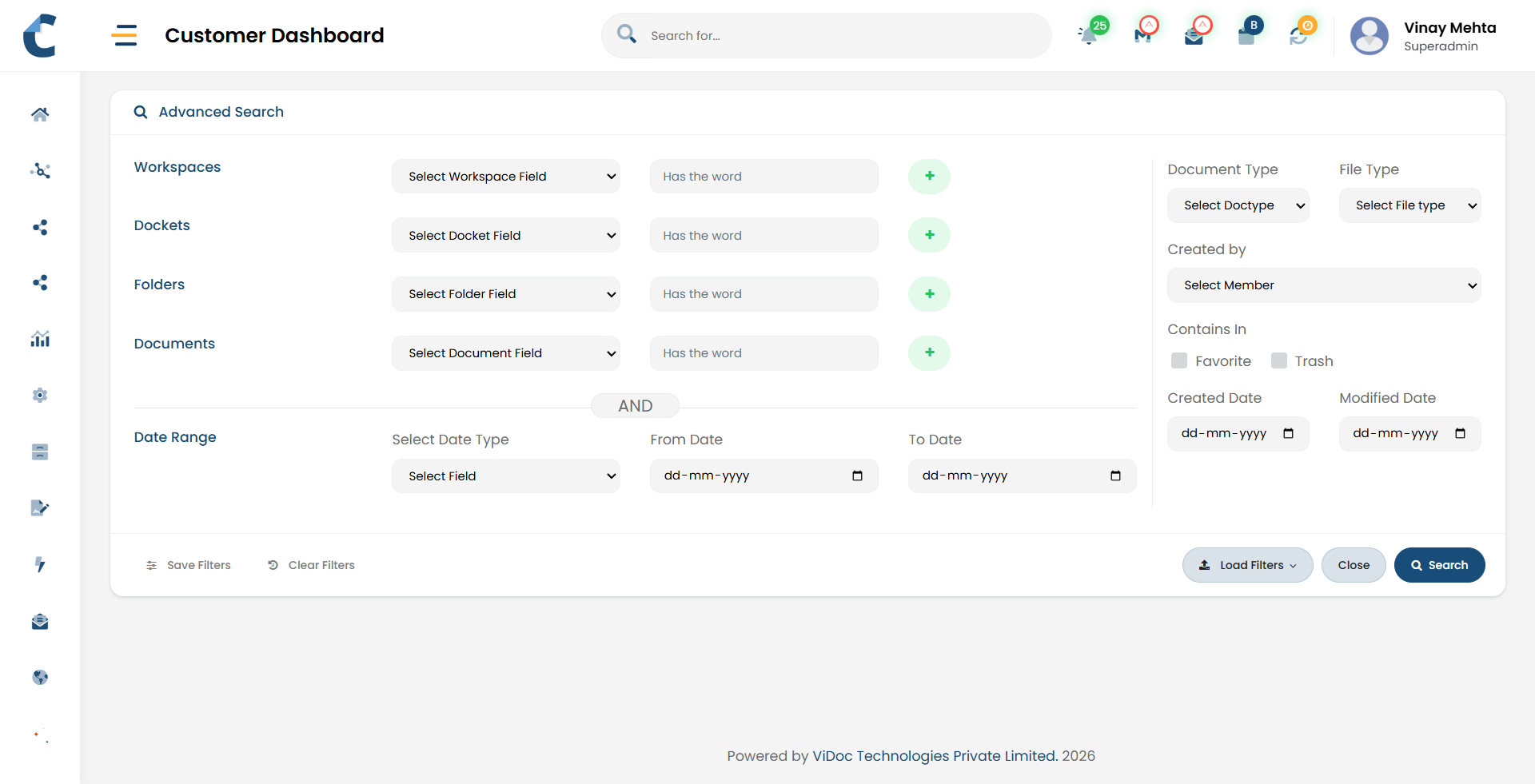
Centris search allows users to search documents using a combination of keywords and structured filters.

Keyword Search

Search by document name, reference number, or key terms.

Document Type Filter

Narrow results to specific document categories such as contracts, invoices, reports, or certificates

Location filters

Refine results by sub-domain, workspace, docket and folders.

OCR Based Search

Find documents by keywords without knowing where or how they were stored.

Date Based Filters

Find documents created, updated, or approved within a specific period.

AI Based Content Search

Understands context and meaning, not just keywords, to search the most relevant documents. Search by intent, topic, or questions and get precise results in seconds.

Before and After

Using Advanced Document Search in Centris

Before Centris

Browsing multiple folders to locate files
Dependence on file names or memory
Repeated requests to colleagues
Risk of using outdated documents
Time wasted during audits or reviews
Frustration and uncertainty

After Centris

Documents found through simple search
Search based on document context
Self-service document discovery
Clear visibility of current versions
Immediate access to required records
Confidence in search results

Common Use Cases

Image Dark Image
Audit and reviews

Quickly locate historical records and supporting documents during inspections or assessments.

Image Dark Image
Operational reference

Find past approvals, reports, or correspondence without knowing the exact location.

Image Dark Image
Legal and compliance

Retrieve contracts, certificates, and statutory documents when needed.

Image Dark Image
Management and oversight

Access relevant documents across departments with controlled visibility.

Advanced document search in Centris ensures that the right information is always easy to find, even as document volumes grow and teams change.