
Centris Drive
Controlled Desktop File Sync
Sync your desktop files with Centris automatically - while keeping structure, access control, and governance intact. No manual uploads. No duplicate folders. No disruption to how your team already works.
Your Desktop, Seamlessly Connected
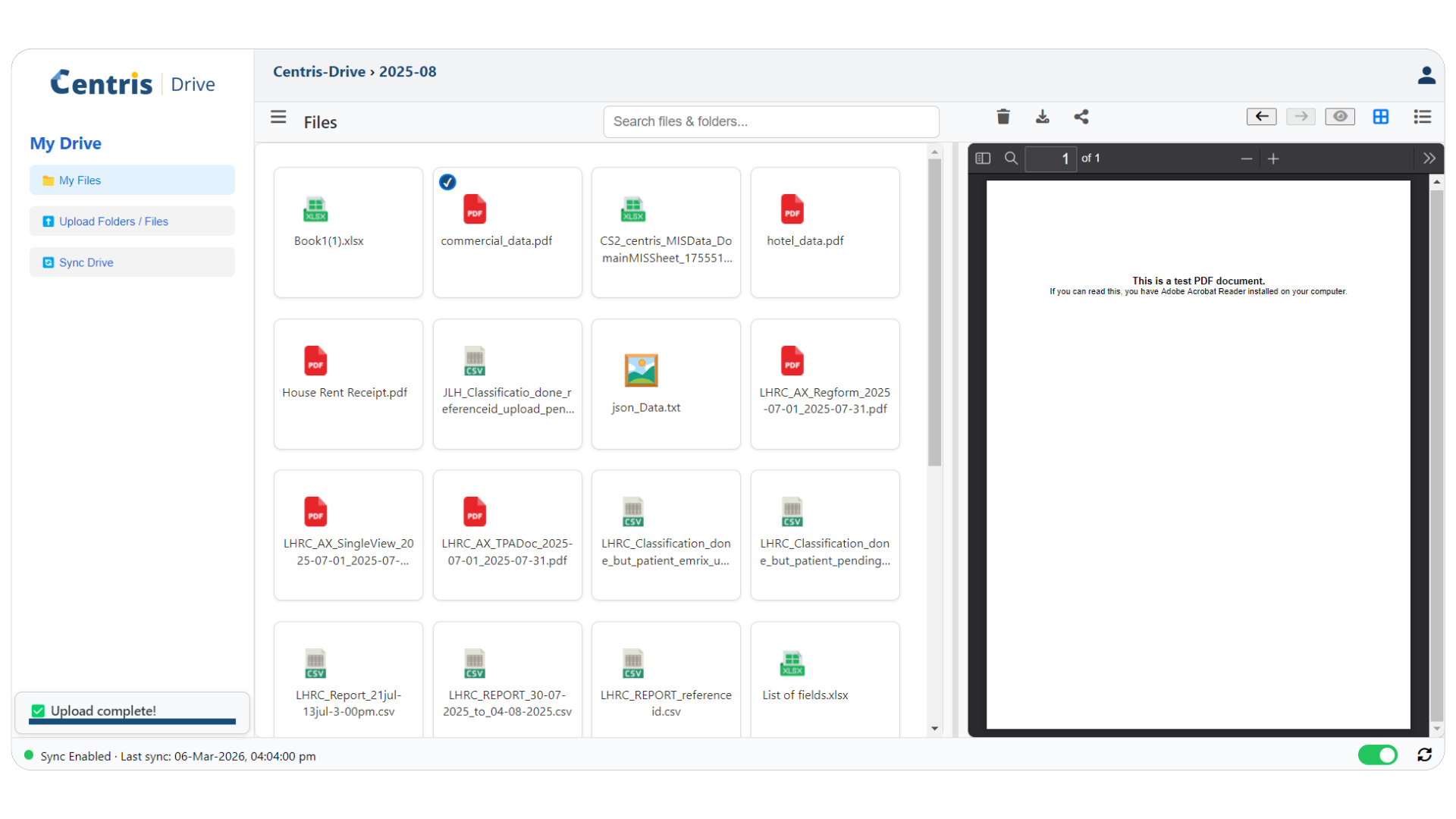
Centris Drive extends the Centris platform to the user's desktop, enabling automatic synchronisation between local files and the Centris repository. Instead of manually uploading documents or maintaining separate shared folders, files saved on your computer are securely reflected in Centris in real time.
It connects everyday desktop work with a structured Digital Office environment - without asking users to change how they work.
Digital transformation often fails when new systems require users to completely change how they work. Centris Drive removes that barrier.
Familiar Experience, Governed Structure
Seven capabilities that make Centris Drive the bridge between how people work today and how organisations need to govern tomorrow.
A Secure, Synchronised Environment
Centris Drive creates a seamless two-way connection between your desktop and your Digital Office repository.
Four Ways Centris Drive Connects Desktop to Digital Office
A Folder on Your Desktop - That's All It Takes
Centris Drive appears as a folder directly on the user's desktop. Users can create folders and add files exactly as they normally would. There is no disruption to daily working habits, no new interface to learn, and no change to established file management routines.
- Appears as a standard folder on the user's desktop
- Create folders and add files the same way as always
- No new software interface to learn or navigate
- Works on Windows and Mac desktop environments
Changes Flow in Both Directions - Automatically
Files and folders added to Centris Drive sync automatically to Centris One. Changes made in Centris - such as approved versions or updated documents - are reflected back on the desktop. Consistency is maintained across both environments without any manual intervention.
- Desktop → Centris: files saved locally sync automatically
- Centris → Desktop: updates in Centris appear on the desktop
- No manual upload or download steps needed
- Access rules silently block unauthorised sync attempts
Structure and Permissions Work in the Background
Synced files are placed within the defined Centris document hierarchy automatically. Access control rules from Centris One apply to every file that passes through Centris Drive - permissions are not set separately; they carry over consistently from the central system.
- Synced files placed in correct structured locations automatically
- Centris access control rules applied to every synced file
- Users sync only what they are authorised to access
- All activity recorded - fully traceable and audit-ready
Adoption Without Disruption
Instead of asking users to stop using desktop folders, learn entirely new file handling methods, or manually upload documents - Centris Drive allows them to continue working as usual while the system manages structure and governance in the background. This reduces friction, improves user acceptance, and accelerates adoption of digital processes across the organisation.
Using Centris Drive
The difference between unstructured desktop file management and a governed, synchronised Digital Office.
Unstructured & Manual
- ❌ Manual uploads to document systems every time
- ❌ Separate local copies and cloud copies out of sync
- ❌ Resistance to new systems and workflows
- ❌ Informal file storage with no defined structure
- ❌ Limited oversight of what files exist where
- ❌ No governance on desktop-stored documents
- ❌ Slow adoption of digital office processes
Governed & Automatic
- ✅ Automatic synchronisation - no manual steps
- ✅ Unified two-way sync - always consistent
- ✅ Familiar desktop experience - no behaviour change
- ✅ Structured digital placement within Centris hierarchy
- ✅ Controlled and visible document flow at all times
- ✅ Full governance and access control enforced automatically
- ✅ Faster, smoother digital transformation adoption
A Connected Digital Office
Centris Drive is the final piece that connects desktop working to the structured platform - where local work, internal processes, and external collaboration operate in alignment.
Centris Drive makes Digital Office adoption easier by combining familiar desktop working with structured, governed document management.